Smart Coffee Appliances: App Control, Firmware Updates and Connected Features in Grinders and Frothers for B2B Buyers
jinhua, Zhejiang, China-October 21, 2026
Smart Coffee Appliances: App Control, Firmware Updates and Connected Features in Grinders and Frothers for B2B Buyers
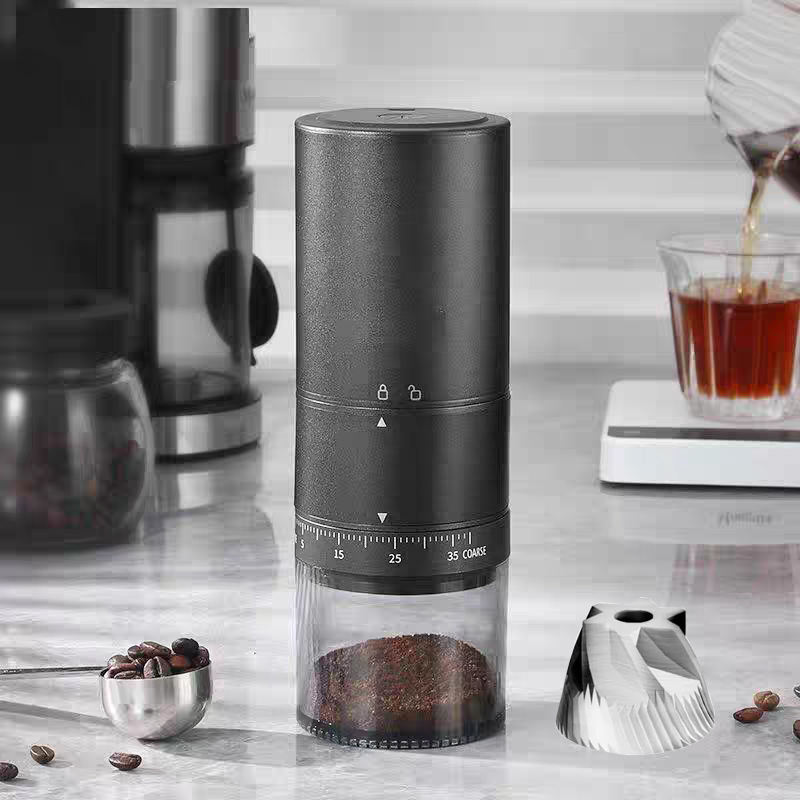
For B2B buyers sourcing electric coffee grinders, spice grinders, milk frothers and juice cups, the word “smart” has shifted from a marketing label into a genuine product tier with its own bill of materials, certification questions and after-sales logic. This article deliberately focuses on one dimension that our earlier guides did not cover: connected intelligence, firmware lifecycles and the networking layer inside small kitchen appliances. We keep adjacent topics such as burr material, motor selection, electrical safety certification and production QC at reference level, because they are addressed in separate posts and do not need to be repeated here.
 1. What “Smart” Actually Looks Like in Small Appliances
A connected grinder or frother is not one feature but a stack of capabilities built on top of the mechanical base. The forms buyers meet most often are timed and dosed operation, grind-curve storage, milk-froth mode presets, and app data synchronization. Timed and dosed operation lets the operator set a timer or a target gram weight so the same dose repeats without manual weighing. Grind-curve storage means the appliance remembers a specific rotation speed, run time and pulse pattern for a given bean or recipe, which protects repeatable extraction across shifts. Froth mode presets configure whisk speed and heating profile for latte, cappuccino or cold foam. App data synchronization uploads usage counts, error events and recipe settings to a phone, giving the owner a usage record.
- Timed and dosed grinding removes the need for a separate scale on the bar counter.
- Grind-curve storage lets a café franchise push one recipe to every store unit.
- Froth mode presets shorten staff training for milk-based drinks.
- App data synchronization turns silent failures into visible events before they become complaints.
2. Which “Smart” Features Deliver Value and Which Are Noise
Not every connected claim earns its place on a quotation. The practical way to separate signal from noise is to ask one question for each feature: does it change the outcome of the task, or only the description of the task? A feature that changes grind consistency, reduces waste, shortens training or lowers returns has measurable value. A feature that only produces a screenshot has weak value. Use the checklist below as a discrimination method rather than a verdict, because the right answer depends on the buyer’s channel and price band.
- Does the feature reduce a measurable cost: labor, beans, returns or support tickets?
- Does it work when the phone is not present, or is the hardware useless without the app?
- Can the benefit be reproduced by a cheaper non-connected model with better mechanics?
- Is the data it produces actually used by someone in the operation, or only collected?
Features that fail all four tests are candidates for marketing noise. Features that pass at least two are worth a line item and a price delta.
3. Hardware Building Blocks and the Cost Increment
Turning a basic grinder or frother into a connected one means adding a small but real set of components. The main control board carries a microcontroller that manages timing, dosing and motor drive. A wireless module, either BLE and Wi-Fi modules, handles the connection. A display, often an LED segment or a small LCD, shows status and menu. An encoder or touch surface replaces a bare switch and lets the user navigate modes. Each item adds direct material cost and indirect cost from firmware development and testing. The increment is not only the chip; it is also the engineering hours to write stable firmware and the QA time to validate the wireless behavior across environments.
- Main control board: adds processing and memory versus a pure analog timer.
- BLE or Wi-Fi module: BLE is cheaper and shorter range; Wi-Fi enables cloud sync.
- Display: an LED is low cost, an LCD adds both cost and power design work.
- Encoder or touch surface: improves UX but raises tooling and sealing complexity.
4. Firmware Maintainability: OTA, Fault Codes and Remote Diagnosis
The software inside the appliance is as important as the gears. Maintainable firmware supports firmware over-the-air updates so bugs and recipe changes can ship without a container recall. A fault-code diagnostics system lets the device report a specific error number instead of a vague blink, which shortens the support conversation. Remote diagnosis lets a trained technician read logs from the field and decide whether the issue is software or hardware before a unit is shipped back. These three capabilities together turn firmware from a liability into a manageable asset, and they are the main reason a connected SKU can be cheaper to support than a dumb one over a three-year lifecycle.
- OTA update capability keeps the product compliant and improves behavior after sale.
- A documented fault-code table lets front-line staff resolve issues on the first call.
- Remote diagnosis reduces unnecessary freight and the carbon cost of returns.
5. Certification Changes Brought by Connectivity
Adding a radio changes the compliance picture compared with a purely wired small appliance. Wireless RF compliance becomes a requirement because the device now transmits, and the exact test regime differs by region and by the frequency band used. Electromagnetic compatibility (EMC) expectations also apply, and the presence of a radio can change how the product is treated in the approval chain. Regional differences are real: what satisfies one market may need a different module or a different declaration in another. Buyers should treat the wireless certification as a first-class document set alongside the electrical safety files, not as a footnote, and should confirm which regions the chosen module is already approved for.
 6. Data and Privacy: Account Systems and Callback Scope
A connected appliance usually implies an account system and some data leaving the device. The scope of that data matters. At minimum, an app account identifies the user and the device serial. Beyond that, the appliance may report usage frequency, error history and recipe settings. Different regions apply different expectations about what may be collected, where it may be stored, and what the user may request to delete. The buyer’s job is to map the callback scope: what is sent, to whom, across which border, and under which policy. A transparent supplier documents this clearly, while a vague answer is itself a risk signal worth flagging during supplier qualification.
- Account identity and device serial are the baseline of any connected ecosystem.
- Usage and error telemetry should be describable in one paragraph, not a mystery.
- Regional expectations about storage location and deletion rights vary by market.
7. Impact on After-Sales and Returns
Connectivity changes the blame game between firmware fault and hardware fault. A unit that will not start may have a failed motor, or it may have a stuck firmware state that a remote reset fixes in minutes. Without diagnosis, both end up as returns, and hardware returns are expensive. With remote after-sales diagnosis, the support team can separate the two before freight moves. The practical result is a lower effective return rate and a cleaner warranty ledger. Buyers should ask suppliers how they distinguish firmware from hardware failure in the field, because that process determines how many containers of “dead” units were actually recoverable with a software fix.
- Firmware faults are often fixable remotely and should not become hardware returns.
- Hardware faults need clear evidence so warranty claims stay fair to both sides.
- Remote triage reduces freight, restocking time and customer frustration.
8. Cost and Price-Band Mapping
The premium of a connected module must survive contact with the shelf price. In entry-level grinders and frothers, even a small increment can break the price band a buyer has built for discounters. In premium and café-tier products, the same increment is easier to absorb because the buyer is already selling capability, not just watts. The useful question is not “is smart expensive” but “does the target channel reward the feature enough to recover the delta.” Map the increment against the expected retail tier, and only approve the smart version where the channel already pays for convenience, consistency or serviceability.
- Entry bands: the connected delta competes with the whole unit price.
- Mid bands: the delta is tolerable if it reduces returns or support cost.
- Premium bands: the delta is a feature story, not a cost objection.
9. Reliability Risks and Fallback Plans
Connectivity introduces failure modes that mechanical units never had. Bluetooth pairing can fail on certain phones, leaving the app useless even though the grinder works. An app service can be discontinued, freezing features that depended on the cloud. A failed firmware update can “brick” a unit that will not boot. Each risk needs a fallback. Pairing failures should degrade gracefully to full onboard controls. App discontinuation should not disable core grinding or frothing. Bricking risk should be mitigated by a recovery mode and by supplier commitment to keep firmware installable for a defined support window. The presence of these fallbacks is a stronger quality signal than the feature list on the box.
- Graceful degradation: the appliance must work without the phone.
- Local-first control: core functions never require the cloud to operate.
- Recovery mode: a bricked unit must be restorable, not scrapped.
10. Procurement Evaluation Checklist and RFQ Questions
Deciding whether to carry a smart version is a portfolio question, not a technology question. Start from the channel: if the buyer serves cafés, franchises or premium retail, the connected tier likely earns its place; if the buyer serves pure price shoppers, the mechanical tier may be the safer bet. Then use the RFQ to extract the facts that matter. Below are the questions to put in writing before sampling, because the answers determine both the bill of materials and the long-term support burden.
- Which regions is the wireless module already certified for, and with which documentation?
- What is the OTA update policy and the minimum firmware support window in years?
- How are firmware faults distinguished from hardware faults in the field?
- What data is collected, where is it stored, and what deletion rights apply?
- What is the per-unit cost delta versus the non-connected version at the same volume?
- Is there a recovery mode if a firmware update fails during installation?
Tip: Always confirm the firmware update policy and the expected app-support lifetime in writing before committing to a smart SKU, because a discontinued app can render connected features useless even when the hardware is still intact.
About us
At JinHua Blossom Co., Ltd., it all started with a simple but powerful belief — everyone should be able to enjoy that perfect cup of coffee. We’ve watched coffee lovers all over the world, from busy cafes in North America to quiet homes in Japan, all chasing the same thing—great flavor, made with precision and ease.That shared love for coffee sparked our own journey. It began with just one coffee grinder, but over time, it’s grown into a mission that has made us a trusted name in premium kitchenware products everywhere.
Media Contact
Company Name: Jinhua blossom science &technology co., ltd.
Contact Person: Media Relations
Email: Send Email
Country: China
Website: https://www.zjblossom.com/


